
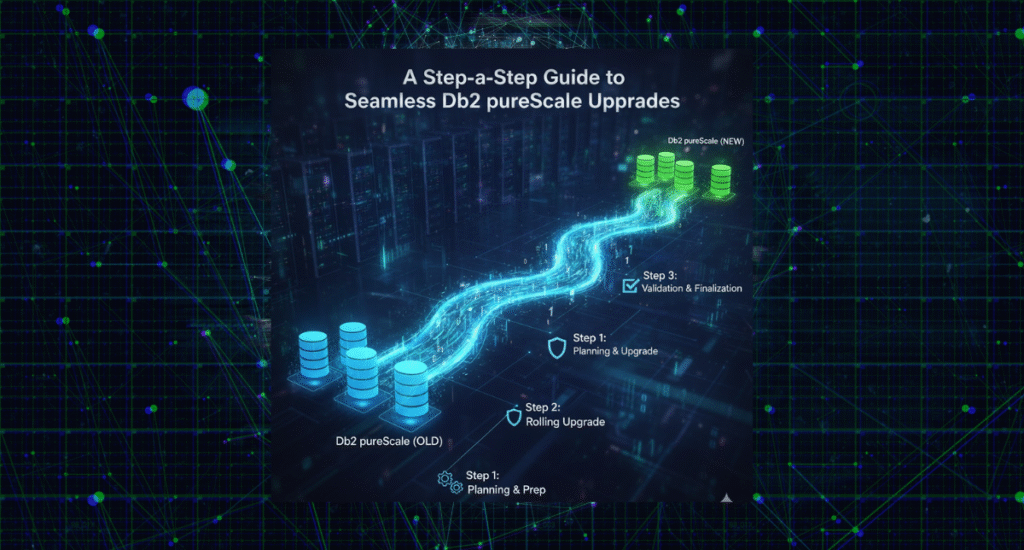
Upgrading a Db2 pureScale environment is often considered one of the most complex maintenance operations in enterprise databases. With its multi-member, multi-cluster architecture, Db2 pureScale demands precision, consistency, and careful orchestration across all nodes to maintain continuous availability.
In this post, I’ll walk you through a step-by-step methodology for online fix pack, mod pack, and version upgrades of a Db2 pureScale cluster—based on real-world experience automating production upgrades in high-availability environments
Why Db2 pureScale?
Db2 pureScale is designed for environments that demand extreme capacity, continuous availability, and application transparency. It allows dynamic scaling of compute resources (members), eliminates single points of failure, and provides 24×7 uptime—all without any changes to application code or configuration.
Key Features:
- Scalable performance: Add members as workload grows.
- Built-in load balancing: Managed internally by Db2 (or via db2dsdriver.cfg, F5 load balancers, or Multi-Home DNS).
- Continuous availability: Automatic member recovery ensures no data loss during outages.
At the heart of pureScale are two key components:
- Members — the primary processing engines (db2sysc, db2wdog, db2loggr, etc.).
Cluster Caching Facilities (CFs) — centralized coordination units that manage Global Lock Management (GLM) and Group Buffer Pool (GBP), ensuring synchronization and concurrency across all members
Preparing for the Upgrade
Before executing an online update, always perform the following prerequisite checks:
- Review IBM Flashes and APARs:
Verify if any known issues or special builds apply to your fix pack.
IBM Support: Authorized Problem Analysis Reports - Validate space and permissions:
Ensure /tmp, /var, and Db2 installation directories have sufficient space and are executable. - Run db2prereqcheck:
Confirm OS libraries, kernel parameters, and dependencies meet requirements. - Backups:
Take a full backup of:- Databases
- Db2 registry variables
- DB/DBM configuration
- db2look outputs
- Check network and /etc/hosts for duplicates or stale entries.
- Download latest Db2 license kit from IBM Passport Advantage.
- Understanding Release Levels
The release level architecture in Db2 pureScale is layered:
Level | Description |
Code Level | The installed Db2 version and fix pack. |
Architecture Level | Cluster-level compatibility (must match code level during updates). |
Current Effective Code Level (CECL) | The currently active code level on each member. |
Current Effective Architecture Level (CEAL) | The active cluster-wide architecture version. |
Section Level | Optimization level for compiled SQL plans. |
You can verify these with:
SELECT * FROM TABLE (SYSPROC.ENV_GET_INSTANCE_CODE_LEVELS());
or
db2pd -rustatus
- Performing a Rolling Fix Pack or Mod Pack Update
The online rolling update allows administrators to upgrade each member or CF without downtime.
Rolling Update Workflow
- Update one member at a time using:
- installFixPack -I db2inst1 -online -l /tmp/member0.log -t /tmp/member0.trc
- Once all members are complete, repeat for Cluster Caching Facilities (CFs):
- Update the secondary CF first.
- Wait for it to reach the PEER state.
- Failover CF roles (db2stop CF 128).
- Update the old primary CF.
- Verify all nodes are active and alert-free:
- db2instance -list
- db2cluster -cm -list -alert
- Confirm synchronization and version uniformity:
- db2pd -rustatus
Estimated Time
Each rolling update typically takes 40–45 minutes per host, depending on I/O throughput and GPFS activity.
- Committing or Cancelling the Update
After all nodes are updated, finalize the process:
- Pre-commit check:
- installFixPack -check_commit -I db2inst1
Ensures all components are synchronized and ready to advance the code level.
- Commit the new code:
- installFixPack -commit_level -I db2inst1
If issues arise before commit, rollback using the same media:
installFixPack -f level -I db2inst1 -online
- Concurrent Online Updates
Starting from Db2 11.5.5, you can perform concurrent online updates — upgrading multiple nodes in parallel without downtime.
Rule of thumb:
Upgrade no more than half of the hosts simultaneously, typically:
- Phase 1: Member 0, Member 1, and Secondary CF
- Phase 2: Member 2, Member 3, and Primary CF
CLOUD1_SARASWATIPURA_NA2024
This halves total maintenance time while preserving quorum.
- Upgrading Db2 pureScale with HADR
In environments using High Availability Disaster Recovery (HADR), upgrade both primary and standby clusters in coordination:
- Stop HADR on both sides.
- Perform online upgrade on standby cluster → commit.
- Perform online upgrade on primary cluster → commit.
- Restart HADR and validate synchronization.
This approach eliminates downtime for business-critical workloads while ensuring replication integrity.
- Post-Upgrade Tasks
After successful commit:
- Catalog and rebind:
- db2updv115 -d <DBNAME>
- db2rbind <DBNAME> -l /tmp/rebind.log all
- Bind default packages:
- db2 BIND @db2ubind.lst BLOCKING ALL GRANT PUBLIC
- db2 BIND @db2cli.lst BLOCKING ALL GRANT PUBLIC
- Federation or Spatial Extensions:
Rebind db2dsproc.bnd, db2stats.bnd, and @db2gse.lst where applicable. - Validate using:
- db2level
- Version Upgrade (Major Releases)
When moving from one major version to another (e.g., 11.5 → 12.x):
- Stop the cluster and enter maintenance mode:
- db2cluster -cm -enter -maintenance –all
- db2cluster -cfs -enter -maintenance –all
- Install the new Db2 binaries across all hosts.
- Exit maintenance and commit changes:
- db2cluster -cfs –commit
- db2cluster -cm –commit
- Upgrade instances and databases:
- db2iupgrade -g InstName
- db2 “UPGRADE DATABASE <DBNAME>”
Key Takeaways
 Plan and validate: Prechecks and backups are essential. Automate: Scripts can ensure consistent execution across nodes. Update CFs strategically: Always update the secondary first, then failover. Post-upgrade tasks: Don’t skip db2updv115 and db2rbind. Concurrent updates: Significantly reduce total maintenance time.
About the Author
Mohan Saraswatipura
Database Architect | IBM Gold Consultant & Champion | Host of The Db2Night Show
Mohan specializes in cloud migrations, Db2 high availability, and replication technologies.
He has led several large-scale Db2 pureScale deployments and automation initiatives across financial, telecom, and enterprise sectors.