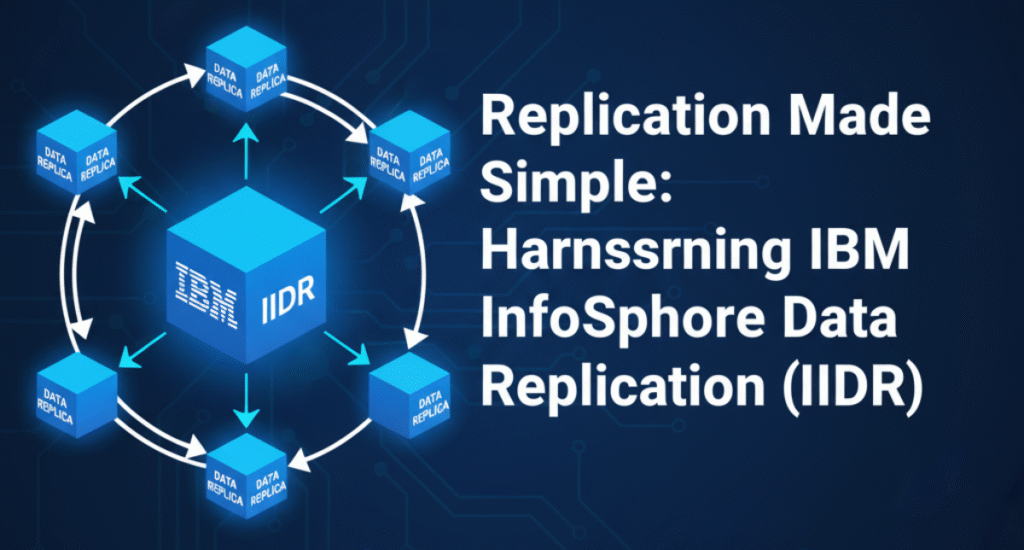
Replication Made Simple: Harnessing IBM InfoSphere Data Replication (IIDR) 11.4
Introduction Modern enterprises depend on real-time, reliable, and low-latency data movement between heterogeneous systems. Whether the goal is data integration, business continuity, or cloud migration, replication forms the backbone of these architectures. IBM’s InfoSphere Data Replication (IIDR) 11.4 simplifies this process by combining two powerful replication technologies—Change Data Capture (CDC) and Q Replication—to deliver high performance, scalability, and flexibility for both homogeneous and heterogeneous Db2 environments This post distills key concepts, architectures, and real-world configuration tips from my IDUG 2021 session “Replication Made Simple Using IIDR 11.4.” Why Choose InfoSphere Data Replication (IIDR)? IIDR provides log-based, near real-time replication with minimal overhead on source systems. Instead of triggers or polling, IIDR leverages transaction logs, enabling: ⚙️ Dynamic data integration and synchronization ⚡ Minimal latency and high throughput 🧩 Cross-platform support (Db2 LUW, z/OS, Oracle, SQL Server, Kafka, and more) 🛡️ Guaranteed data integrity via transactional consistency ☁️ High availability and fault tolerance, suitable for hybrid cloud migrations In essence, IIDR lets organizations replicate once, reuse everywhere, while keeping the source system unaffected Understanding the Two Replication Engines Change Data Capture (CDC) CDC replication reads committed changes (INSERT, UPDATE, DELETE) directly from the transaction logs and replays them on the target system. Key Advantages: Log-based capture → minimal system impact High performance (2–3× faster than SQL replication) Real-time streaming and synchronization Flexible transformations and filtering Works across multiple source and target platforms Core Components: Management Console – GUI for creating and monitoring datastores and subscriptions Access Server – Central security and user authentication hub Replication Engine – Captures changes from logs and applies them to the target CDC is ideal for heterogeneous replication and cross-platform migrations (e.g., Db2 → Oracle, Db2 → Kafka, Db2 → Snowflake). Q Replication Q Replication, in contrast, is optimized for high-throughput, low-latency replication between homogeneous Db2 systems (LUW or z/OS). It uses WebSphere MQ as the transport layer, ensuring guaranteed delivery and resilience against network interruptions. Performance Highlights: 4–6× faster than SQL replication Near real-time (<1 second latency) Highly parallel, transactional apply Automatic conflict detection and resolution Perfect for HADR, active-active, and disaster recovery topologies Architecture Overview: Q Capture reads from Db2 logs and sends transactions to MQ queues. MQ Transport ensures message delivery between systems. Q Apply reads from queues and commits data to the target. Q Replication supports unidirectional, bidirectional, and peer-to-peer configurations depending on business needs Typical Use Cases for IIDR Before (Broadcast Table Queue) Dimension table broadcasted to all nodes. Each node waited for broadcast completion. Heavy inter-node network overhead. After (Local Table Queue with Replicated MQT) Each node accesses a local copy of the dimension table. No data broadcast required. Parallel execution without inter-node blocking. Result: Massive reduction in runtime and resource consumption. Why Replicated MQTs Work Scenario Replication Engine Objective Db2 → Db2 (low latency) Q Replication Active-Active or HADR Db2 → Oracle / SQL Server / Kafka CDC Replication Real-time data integration On-prem → Cloud (AWS, Azure, GCP) CDC Cloud migration Near-zero downtime upgrades CDC or Q Replication Version-to-version migration Data offloading to reporting / analytics Either Performance and scalability Implementing Change Data Capture (CDC) Area Recommendation When to Use Use for small, frequently joined dimension tables (< few hundred MB). Refresh Strategy Schedule nightly or event-based refreshes using REFRESH TABLE. Statistics Maintenance Run RUNSTATS on both MQT and base tables after refresh. Storage Placement Keep replicated tablespaces in the same partition group as the fact table. Indexes Create the same indexes as base tables to preserve access efficiency. Outcome CDC captures data using non-polling log reading, processes changes in-memory by commit groups, and transmits them to the target system. Installation Steps (AIX example): ./iidraccess-11.4-10291-aix-power-setup.bin # Access Server ./setup-iidr-11.4.0.0-5052-aix-power.bin # Replication Engine Configuration Workflow: Catalog source and target Db2 databases Create Access Server users with replication privileges Define data stores (logical source/target entities) Create subscriptions pairing source and target tables Set mapping rules and filters Start replication (MIRROR mode) for continuous sync CDC maintains internal metadata and bookmarks to ensure transactional consistency, even after restarts or failures Using CDC for Database Migration CDC is widely used for zero-downtime migrations between environments (e.g., Db2 10.1 → Db2 11.5, or on-prem → AWS RDS). Best-Practice Workflow: Install and configure CDC. Identify tables and referential constraints. Create multiple subscriptions grouped by dependency. Perform initial table refresh (in order of parent-child relationships). Start replication with MIRROR refresh. Validate data consistency. Cutover using NORMAL end replication mode. Update DNS and start applications on new server. This approach minimizes downtime and ensures continuous data availability Deep Dive: Q Replication Architecture Q Replication’s architecture builds on three core layers: Q Capture (Source) – Extracts committed transactions from Db2 logs, assembles them into messages, and writes to MQ send queues. MQ Transport – Delivers messages via persistent MQ queues, ensuring reliable message delivery. Q Apply (Target) – Reads messages, checks dependencies, and applies them using multiple parallel threads. Each component uses control tables (IBMQREP_* schema) to store status, parameters, and bookmarks Setting Up Unidirectional Q Replication Example: Db2 LUW Source → Db2 LUW Target Step 1: Create MQ objects crtmqm SRCDB strmqm SRCDB runmqsc SRCDB < uni_source.txt Step 2: Create control tables asnclp -f controlTables.asnclp Step 3: Define replication queue map asnclp -f createReplicationQMap.asnclp Step 4: Create Q subscriptions asnclp -f qRepSubscription.asnclp Step 5: Start replication INSERT INTO asn.ibmqrep_signal VALUES (CURRENT TIMESTAMP, ‘CMD’,’CAPSTART’,’QREP_TEST0001′,’P’); Step 6: Validate environment asnclp -f validateQMap.asnclp This configuration ensures continuous, transactional replication between source and target systems. Advanced Features Subset and filter data using row predicates (WHERE LOCATION=’EAST’) Transformations through stored procedures or triggers at the target Conflict resolution in bidirectional replication Utilities like ASNTDIFF and ASNTREP to verify or repair target data Peer-to-peer support for update-anywhere architectures These features make Q Replication suitable for both mission-critical workloads and cloud-based active-active deployments Monitoring and Maintenance Both CDC and Q Replication provide robust monitoring: Tool Purpose CHCLP / ASNCLP Command-line administration and scripting Management Console GUI-based monitoring and configuration Control Tables (IBMQREP_CAPMON, IBMQREP_APPLYMON) Performance statistics MQ Explorer Monitor queues and channels SQL queries