Blog

Your blog category

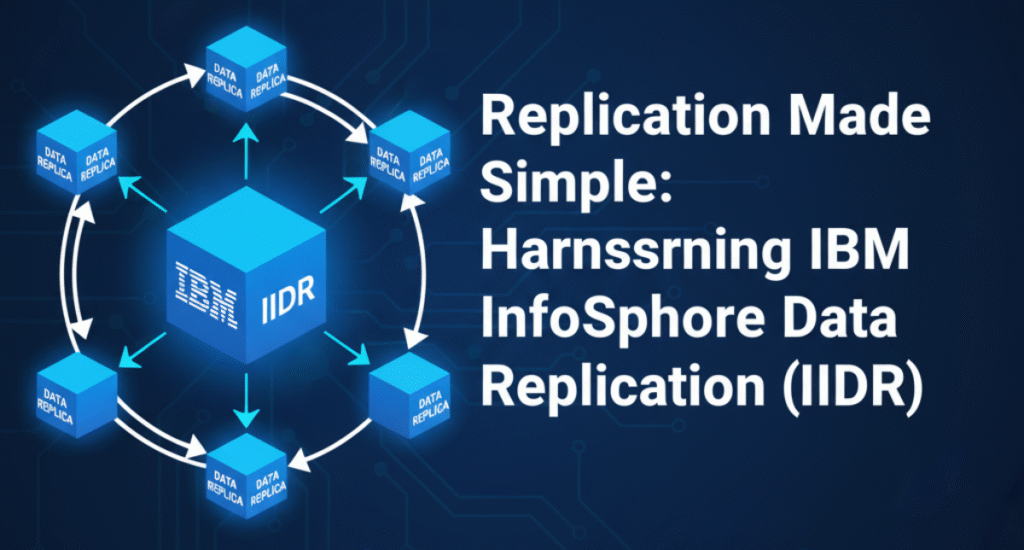
Replication Made Simple: Harnessing IBM InfoSphere Data Replication (IIDR)
Blog

Replication Made Simple: Harnessing IBM InfoSphere Data Replication (IIDR) 11.4

Introduction Modern enterprises depend on real-time, reliable, and low-latency data movement between heterogeneous systems. Whether the goal is data integration, business continuity, or cloud migration, replication forms the backbone of these architectures. IBM’s InfoSphere Data Replication (IIDR) 11.4 simplifies this process by combining two powerful replication technologies—Change Data Capture (CDC) and Q Replication—to deliver high performance, scalability, and flexibility for both homogeneous and heterogeneous Db2 environments This post distills key concepts, architectures, and real-world configuration tips from my IDUG 2021 session “Replication Made Simple Using IIDR 11.4.” Why Choose InfoSphere Data Replication (IIDR)? IIDR provides log-based, near real-time replication with minimal overhead on source systems. Instead of triggers or polling, IIDR leverages transaction logs, enabling: ⚙️ Dynamic data integration and synchronization ⚡ Minimal latency and high throughput 🧩 Cross-platform support (Db2 LUW, z/OS, Oracle, SQL Server, Kafka, and more) 🛡️ Guaranteed data integrity via transactional consistency ☁️ High availability and fault tolerance, suitable for hybrid cloud migrations In essence, IIDR lets organizations replicate once, reuse everywhere, while keeping the source system unaffected Understanding the Two Replication Engines Change Data Capture (CDC) CDC replication reads committed changes (INSERT, UPDATE, DELETE) directly from the transaction logs and replays them on the target system. Key Advantages: Log-based capture → minimal system impact High performance (2–3× faster than SQL replication) Real-time streaming and synchronization Flexible transformations and filtering Works across multiple source and target platforms Core Components: Management Console – GUI for creating and monitoring datastores and subscriptions Access Server – Central security and user authentication hub Replication Engine – Captures changes from logs and applies them to the target CDC is ideal for heterogeneous replication and cross-platform migrations (e.g., Db2 → Oracle, Db2 → Kafka, Db2 → Snowflake). Q Replication Q Replication, in contrast, is optimized for high-throughput, low-latency replication between homogeneous Db2 systems (LUW or z/OS). It uses WebSphere MQ as the transport layer, ensuring guaranteed delivery and resilience against network interruptions. Performance Highlights: 4–6× faster than SQL replication Near real-time (<1 second latency) Highly parallel, transactional apply Automatic conflict detection and resolution Perfect for HADR, active-active, and disaster recovery topologies Architecture Overview: Q Capture reads from Db2 logs and sends transactions to MQ queues. MQ Transport ensures message delivery between systems. Q Apply reads from queues and commits data to the target. Q Replication supports unidirectional, bidirectional, and peer-to-peer configurations depending on business needs Typical Use Cases for IIDR Before (Broadcast Table Queue) Dimension table broadcasted to all nodes. Each node waited for broadcast completion. Heavy inter-node network overhead. After (Local Table Queue with Replicated MQT) Each node accesses a local copy of the dimension table. No data broadcast required. Parallel execution without inter-node blocking. Result: Massive reduction in runtime and resource consumption. Why Replicated MQTs Work Scenario Replication Engine Objective Db2 → Db2 (low latency) Q Replication Active-Active or HADR Db2 → Oracle / SQL Server / Kafka CDC Replication Real-time data integration On-prem → Cloud (AWS, Azure, GCP) CDC Cloud migration Near-zero downtime upgrades CDC or Q Replication Version-to-version migration Data offloading to reporting / analytics Either Performance and scalability Implementing Change Data Capture (CDC) Area Recommendation When to Use Use for small, frequently joined dimension tables (< few hundred MB). Refresh Strategy Schedule nightly or event-based refreshes using REFRESH TABLE. Statistics Maintenance Run RUNSTATS on both MQT and base tables after refresh. Storage Placement Keep replicated tablespaces in the same partition group as the fact table. Indexes Create the same indexes as base tables to preserve access efficiency. Outcome CDC captures data using non-polling log reading, processes changes in-memory by commit groups, and transmits them to the target system. Installation Steps (AIX example): ./iidraccess-11.4-10291-aix-power-setup.bin  # Access Server ./setup-iidr-11.4.0.0-5052-aix-power.bin     # Replication Engine Configuration Workflow: Catalog source and target Db2 databases Create Access Server users with replication privileges Define data stores (logical source/target entities) Create subscriptions pairing source and target tables Set mapping rules and filters Start replication (MIRROR mode) for continuous sync CDC maintains internal metadata and bookmarks to ensure transactional consistency, even after restarts or failures Using CDC for Database Migration CDC is widely used for zero-downtime migrations between environments (e.g., Db2 10.1 → Db2 11.5, or on-prem → AWS RDS). Best-Practice Workflow: Install and configure CDC. Identify tables and referential constraints. Create multiple subscriptions grouped by dependency. Perform initial table refresh (in order of parent-child relationships). Start replication with MIRROR refresh. Validate data consistency. Cutover using NORMAL end replication mode. Update DNS and start applications on new server. This approach minimizes downtime and ensures continuous data availability Deep Dive: Q Replication Architecture Q Replication’s architecture builds on three core layers: Q Capture (Source) – Extracts committed transactions from Db2 logs, assembles them into messages, and writes to MQ send queues. MQ Transport – Delivers messages via persistent MQ queues, ensuring reliable message delivery. Q Apply (Target) – Reads messages, checks dependencies, and applies them using multiple parallel threads. Each component uses control tables (IBMQREP_* schema) to store status, parameters, and bookmarks Setting Up Unidirectional Q Replication Example: Db2 LUW Source → Db2 LUW Target Step 1: Create MQ objects crtmqm SRCDB strmqm SRCDB runmqsc SRCDB < uni_source.txt Step 2: Create control tables asnclp -f controlTables.asnclp Step 3: Define replication queue map asnclp -f createReplicationQMap.asnclp Step 4: Create Q subscriptions asnclp -f qRepSubscription.asnclp Step 5: Start replication INSERT INTO asn.ibmqrep_signal VALUES (CURRENT TIMESTAMP, ‘CMD’,’CAPSTART’,’QREP_TEST0001′,’P’); Step 6: Validate environment asnclp -f validateQMap.asnclp This configuration ensures continuous, transactional replication between source and target systems. Advanced Features Subset and filter data using row predicates (WHERE LOCATION=’EAST’) Transformations through stored procedures or triggers at the target Conflict resolution in bidirectional replication Utilities like ASNTDIFF and ASNTREP to verify or repair target data Peer-to-peer support for update-anywhere architectures These features make Q Replication suitable for both mission-critical workloads and cloud-based active-active deployments Monitoring and Maintenance Both CDC and Q Replication provide robust monitoring: Tool Purpose CHCLP / ASNCLP Command-line administration and scripting Management Console GUI-based monitoring and configuration Control Tables (IBMQREP_CAPMON, IBMQREP_APPLYMON) Performance statistics MQ Explorer Monitor queues and channels SQL queries

Boosting Data Warehouse Performance with Replicated MQTs in Db2
Blog

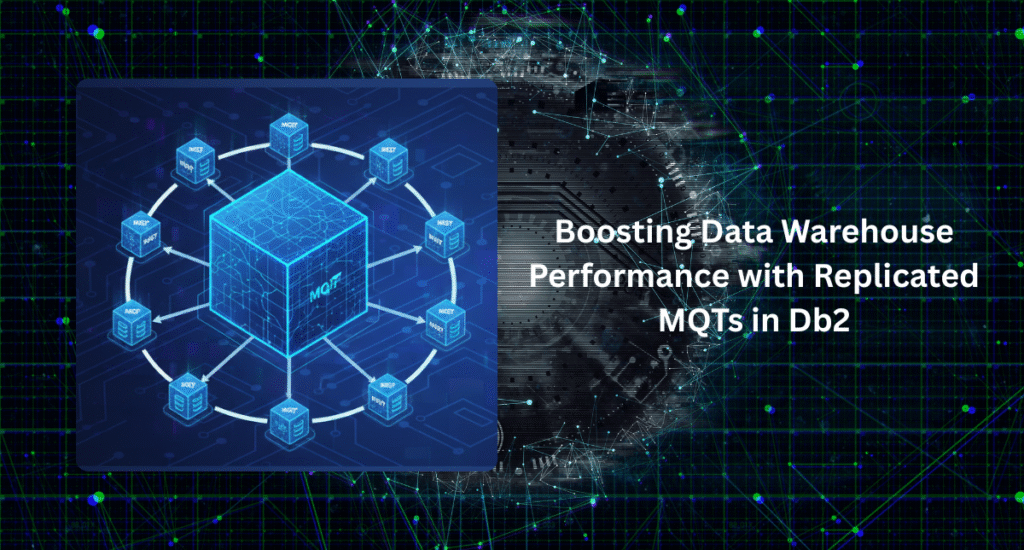
Boosting Data Warehouse Performance with Replicated MQTs in Db2

Introduction Modern data warehouses often struggle with performance bottlenecks caused by large fact tables and broadcast table joins. Even a single report execution can consume minutes—or hours—of processing time when datasets reach hundreds of millions of rows. In one of our real-world warehouse systems at Reckitt Benckiser UK, we faced precisely this challenge: a 508-million-row fact table joined with a 111,000-row dimension table, resulting in report runtimes exceeding 19 minutes. Through systematic analysis and optimization using Replicated Materialized Query Tables (MQTs), we achieved a dramatic improvement—from 1168 seconds to just 49 seconds, reducing query cost from 17.2 million timerons to 175,576 timerons   This blog post walks you through that transformation step-by-step. Understanding the Problem The query in question joined a large fact table with a relatively small dimension table: SELECT    F.CUST_KEY,    F.PROD_SKU_KEY,    F.BUSS_UNIT_KEY,    F.UNIT_YTD_VOLUME,    D.CUST_NAME,    D.CUST_STRATEGIC_DIR_CODE,    D.TRD_TY_CODE  FROM    DATAMARTS.FACT_CUST_PROFTBLTY F,    DATAMARTS.DIM_CUSTOMER D  WHERE    F.CUST_KEY = D.CUST_KEY; The execution time was 1168 seconds, with an estimated 17.2 million timerons.Why? Because Db2’s Broadcast Table Queue (BTQ) mechanism replicated the small dimension table at runtime to every database partition—adding heavy inter-node communication overhead In a partitioned data warehouse environment, each node processed part of the fact table, while the dimension table was broadcasted across the cluster for join resolution. This broadcast process was the major bottleneck. Step 1: Analyze the Explain Plan The first step for any DBA should always be understanding what Db2’s optimizer is doing. db2 “SET CURRENT EXPLAIN MODE EXPLAIN” db2 -tvf EXTERNALSQL.sql > EXTERNALSQL.log db2 “SET CURRENT EXPLAIN MODE NO” db2exfmt -d DBNAME -g TIC -w -1 -s % -n % -# 0 -o EXTERNALSQL.out The output confirmed that the optimizer used a Broadcast Table Queue, causing significant inter-node data movement during join execution. At this point, the plan cost stood at: 17.2 million timerons 1168 seconds runtime Step 2: Introduce a Replicated MQT To eliminate broadcasting, we converted the dimension table to a replicated MQT—a local copy that resides on every database partition. This ensures each node has its own version of the small dimension table, eliminating inter-node traffic altogether Implementation Steps Create dedicated tablespaces in the same database partition group as the fact table: CREATE TABLESPACE TBS_REP_DATA IN DBPARTITIONNUMS(ALL); CREATE TABLESPACE TBS_REP_INDEX IN DBPARTITIONNUMS(ALL); Create a replicated MQT version of the dimension table: CREATE TABLE DATAMARTS.R_DIM_CUSTOMER AS (SELECT * FROM DATAMARTS.DIM_CUSTOMER) DATA INITIALLY DEFERRED REFRESH IMMEDIATE IN TBS_REP_DATA INDEX IN TBS_REP_INDEX REPLICATED; Refresh the table: REFRESH TABLE DATAMARTS.R_DIM_CUSTOMER; Run REORG and RUNSTATS on the new MQT for accurate optimizer statistics. Step 3: Validate the Results After implementing the replicated MQT, the optimizer switched from a Broadcast Table Queue (BTQ) to a Local Table Queue (LTQ)—completely removing cross-partition network movement. Running the same query now yielded: 175,576 timerons (down from 17,187,700) 49 seconds runtime (down from 1168 seconds) This represents a 23.8× performance improvement, achieved purely through data locality optimization Visualizing the Difference Before (Broadcast Table Queue) Dimension table broadcasted to all nodes. Each node waited for broadcast completion. Heavy inter-node network overhead. After (Local Table Queue with Replicated MQT) Each node accesses a local copy of the dimension table. No data broadcast required. Parallel execution without inter-node blocking. Result: Massive reduction in runtime and resource consumption. Why Replicated MQTs Work Replicated MQTs are particularly effective for star-schema and snowflake warehouse designs where: Fact tables are partitioned across nodes. Dimension tables are relatively small. Frequent joins occur between facts and dimensions. By replicating dimensions locally, queries leverage intra-node joins instead of expensive distributed joins.This strategy not only reduces runtime but also improves concurrency and query scalability under multi-user workloads. Best Practices for Using Replicated MQTs Area Recommendation When to Use Use for small, frequently joined dimension tables (< few hundred MB). Refresh Strategy Schedule nightly or event-based refreshes using REFRESH TABLE. Statistics Maintenance Run RUNSTATS on both MQT and base tables after refresh. Storage Placement Keep replicated tablespaces in the same partition group as the fact table. Indexes Create the same indexes as base tables to preserve access efficiency. Outcome This optimization not only transformed a slow-performing report into a fast one but also enhanced the overall warehouse efficiency. The execution time dropped from 19 minutes to under 1 minute, and report queues on the BI platform were cleared dramatically faster—improving analyst productivity and infrastructure utilization Conclusion For data warehouse architects and DBAs working on Db2 DPF (Database Partitioning Feature) environments, Replicated MQTs offer a simple yet powerful way to improve performance in join-heavy queries. When combined with proper statistics, indexing, and refresh scheduling, they can deliver 10×–25× performance gains with minimal code changes. In short, if you’re struggling with slow-running reports due to distributed joins—replicate your dimensions, and watch your timerons vanish. About the Author Mohankumar SaraswatipuraDatabase Architect | IBM Champion | Performance Optimization Specialist Mohan has led major Db2 optimization initiatives across manufacturing, financial, and cloud environments. His work focuses on performance tuning, replication, and high availability solutions.He has authored multiple technical articles for IBM Data Magazine and developerWorks, including “How to Improve Performance in Warehouse Systems Using Replicated MQTs.”

Blog

The Db2 On-Prem to Cloud Transformation Journey: From Legacy to Agility

The Db2 On-Prem to Cloud Transformation Journey: From Legacy to Agility The Db2 On-Prem to Cloud Transformation Journey: From Legacy to Agility Introduction: More Than a Migration Moving Db2 from on-premises infrastructure to the cloud is far more than a lift-and-shift project—it’s a strategic transformation that reshapes how organizations architect, operate, and evolve their data ecosystems. The Db2 On-Prem to Cloud Transformation Journey enables enterprises to leverage the elastic scalability, managed services, and AI integration of cloud platforms while maintaining Db2’s proven reliability and performance. Whether deploying on virtual infrastructure (IaaS), adopting a fully managed Db2 service, or integrating with modern data platforms, this journey unlocks modernization and agility at every level Phase 1: Assessment and Planning A successful transformation begins with comprehensive assessment and strategic planning.This phase establishes a full inventory of existing Db2 workloads, configurations, and dependencies, while aligning migration goals with business drivers—such as cost optimization, agility, performance, and availability. Key Objectives Capture and document existing Db2 environments and interdependencies. Identify modernization drivers (e.g., cost, elasticity, analytics readiness). Evaluate cloud readiness and select the most suitable architecture (IaaS, PaaS, or SaaS). Assessing compute, storage, and database objects ensures every technical and operational factor is understood before migration begins. This foundational step defines the target path and mitigates risk later in the journey Phase 2: Architecture and Design With assessment complete, the next step is to design a target-state cloud architecture—one that is scalable, secure, and resilient. Deployment Options Self-Managed Db2 on IaaS (EC2, Azure VM, GCP VM): Full control, hybrid flexibility, custom tuning. Managed Db2 Services (IBM Db2 on Cloud, Db2 Warehouse): Simplified operations, faster deployment, automatic scaling. Db2 on AWS RDS: Fully managed experience with automated patching, backup, and monitoring. Design Focus Areas High Availability (HA) and Disaster Recovery (DR): Leverage Db2 HADR, pureScale, or cloud-native HA (e.g., Pacemaker, Multi-AZ). Compute & Storage: Choose appropriate storage tiers (GP3, IO1, IO2) and define autoscaling CPU/memory profiles. Security: Implement TLS, IAM, KMS encryption, and VPC isolation. Monitoring: Use Db2 Data Management Console (DMC) or native tools like CloudWatch and Azure Monitor. This stage ensures the architecture not only supports migration but is built for long-term resilience, cost-efficiency, and compliance Phase 3: Proof of Concept (PoC) Before executing a full migration, organizations should validate assumptions through a Proof of Concept (PoC). Goals Validate cloud performance and workload behavior. Test compatibility of applications and tools. Benchmark response times and SLAs under real-world conditions. Activities Select representative databases or schemas. Deploy Db2 in the target cloud environment using the chosen model. Migrate sample data using db2move, db2look, or IBM replication tools (CDC, Q Replication, HADR). Run OLTP and reporting workloads to compare performance against on-prem baselines. A successful PoC provides confidence to business stakeholders and paves the way for a full-scale rollout Phase 4: Migration Execution Once validated, the migration moves into full-scale execution. This phase requires careful orchestration to minimize downtime and ensure business continuity. Pre-Migration Tasks Finalize the migration plan and downtime window. Take full database backups and freeze schema changes. Confirm target environment readiness (HA, security, and monitoring configured). Data Migration Approaches Offline Migration:Backup → Transfer → Restore (using redirected restore or export/load). Online Migration (Near Zero Downtime):Use IBM CDC, Q Replication, or HADR with takeover to sync data until cutover. Cutover & Post-Validation Perform controlled switch from on-prem to cloud. Validate data integrity, performance, and compliance. Decommission or repurpose legacy infrastructure. When executed with precision, a cloud cutover can be non-disruptive, preserving data consistency and application uptime Phase 5: Optimization and Continuous Improvement Migration is not the finish line—it’s the starting point for continuous improvement. After going live, focus shifts toward performance tuning, cost optimization, and security hardening. Performance Tuning Monitor via MON_GET_* views, Db2 DMC, or cloud-native tools. Tune SQL plans, bufferpools, and memory heaps (e.g., SORTHEAP, PCKCACHESZ). Refine Workload Management (WLM) for priority queries. Cost Optimization Right-size instances and storage tiers. Move archival data to cheaper storage (e.g., S3, Blob Storage). Automate instance start/stop schedules to save costs. Security Hardening Enforce TLS and native encryption. Implement row/column-level access control. Rotate IAM secrets and audit configurations regularly. Through automation and observability, the cloud Db2 environment evolves into a self-optimizing, intelligent database ecosystem Phase 6: Operate, Monitor, and Evolve True transformation comes from ongoing governance, monitoring, and adaptation. Operate Schedule backups, reorgs, and health checks. Test failovers periodically for HA/DR readiness. Automate patching via CI/CD pipelines. Monitor Use Db2 monitoring metrics or cloud-native observability platforms. Track KPIs such as query latency, cache hit ratio, and replication lag. Implement predictive alerting with AI tools like Watson AIOps or Instana. Evolve Continuously adopt new Db2 features like AI vector search and Iceberg tables. Reassess workloads and scaling models quarterly. Align cloud operations with business goals and cost governance. Operating Db2 in the cloud isn’t just about keeping lights on—it’s about proactive innovation and continuous alignment with the organization’s strategic direction Conclusion: The New Era of Db2 Migrating Db2 from on-premises to the cloud is not a one-time project—it’s a continuous journey of modernization. By combining strategic planning, robust architecture, automated migration, and continuous optimization, organizations can unlock the full potential of Db2 in the cloud—agility, resilience, and intelligence at scale. About the Author Mohan SaraswatipuraDatabase Architect | IBM Gold Consultant & Champion | Host of The Db2Night ShowMohan specializes in Db2 high availability, replication, and cloud migrations. He has led multiple enterprise transformations from on-prem to cloud environments, focusing on automation, scalability, and cost efficiency.

Ansible Automation for Db2: Simplifying Database Operations at Scale
Blog

Ansible Automation for Db2: Simplifying Database Operations at Scale

Introduction: Why Automate Db2 Operations? Database administration has evolved beyond manual patching, configuration, and maintenance. In today’s hybrid and cloud environments, automation is no longer optional—it’s essential for agility, consistency, and reliability.Ansible, an open-source IT automation tool, has emerged as one of the most effective solutions for managing large-scale Db2 environments. Its simplicity, agentless architecture, and YAML-based playbooks make it ideal for automating everything from Db2 installation, patching, and fix pack upgrades to HADR management and health checksWhen combined with Jenkins CI/CD pipelines or Red Hat Ansible Automation Platform (AAP), Ansible transforms how DBAs deploy, maintain, and scale enterprise databases.  What Makes Ansible Ideal for Db2? Ansible stands out because it is agentless, leveraging secure SSH communication instead of requiring local agents. This design dramatically simplifies adoption in enterprise environments. Key Advantages • Agentless: No installation on remote hosts—just SSH access.• Idempotent: Guarantees repeatable results without side effects.• Human-readable YAML syntax: Playbooks are simple and self-documenting.• Extensible: Integrates with Jenkins, Git, and AAP for enterprise-level orchestration.Together, these features make Ansible an ideal bridge between database administration and DevOps automation Key Components of Ansible Component Purpose Inventory List of Db2 servers or target hosts to manage. Modules Core units of work (e.g., copy, yum, shell, db2). Playbooks YAML scripts that define automation tasks and logic. Roles Reusable, modular collections of tasks and variables. Tasks Individual instructions executed sequentially. Each element contributes to creating modular, reusable, and maintainable automation codebases, essential for managing multiple Db2 environments efficiently Integrating Ansible with Jenkins Integrating Ansible with Jenkins is one of the most powerful ways to create a continuous integration/continuous deployment (CI/CD) framework for Db2 operations. Step-by-Step Integration Install Jenkins and Plugins Ansible Plugin (optional if executed via shell) Pipeline Plugin Credentials Plugin Install Ansible on Jenkins Host # RHEL/CentOS sudo yum install -y ansible # Ubuntu/Debian sudo apt update && sudo apt install -y ansible Configure SSH Access to Db2 ServersJenkins connects to Db2 servers via SSH key-based authentication: ssh-keygen -t rsa -b 2048 ssh-copy-id user@target-host Create Jenkins Job to Trigger Ansible PlaybooksIn a Freestyle or Pipeline project: ansible-playbook -i inventory.ini db2_restore.yml Store your playbooks in GitHub or the Jenkins workspace for seamless automation Ansible Automation Platform (AAP): The Enterprise Layer While open-source Ansible is powerful, Red Hat’s Ansible Automation Platform (AAP) extends it with advanced enterprise capabilities. Core Components Ansible Engine: Executes playbooks across systems. Ansible Tower (Controller): Provides a web-based interface, API, and RBAC for managing playbooks and jobs. Automation Hub: Hosts certified collections and roles. Version Control Integration: Connects GitHub, BitBucket, or GitLab for source-controlled automation. Role-Based Access Control (RBAC): Ensures secure delegation and governance. AAP makes automation scalable, secure, and auditable—perfect for organizations running Db2 across multiple data centers or hybrid environments Setting Up the Ansible Project for Db2 To operationalize automation, follow these setup steps: Add Credentials — Create service accounts with SSH key-based, passwordless access. Create Project — Link to Git repositories for version control. Add Inventory — Define target servers and groups. Create Job Templates & Schedules — Automate recurring maintenance and health checks. The service account used for automation requires sudo privileges and must be exempt from MFA to enable non-interactive playbook execution. SSH key-based authentication ensures both security and transparency for DBAs and DevOps engineers Db2 Automation in Action: Playbook Examples Ansible’s flexibility enables automation of every phase of Db2 lifecycle management. Db2 Status Check – name: Get DB2 Instances   ansible.builtin.shell: “db2ilist”   register: db2inst   – name: Switch to instance and run db2pd   become: yes   become_user: “{{ item }}”   ansible.builtin.shell: “db2pd -alldbs”   loop: “{{ db2inst.stdout_lines }}”   register: db2pdout ✅ Checks all Db2 instances on the host and retrieves status via db2pd.✅ Runs securely as the instance owner using the become plugin Db2 Start / Stop / Restart – name: Start Db2 Instances   become: yes   become_user: “{{ item }}”   ansible.builtin.command: “db2start”   loop: “{{ db2inst.stdout_lines }}”   tags:     – startdb ✅ Modular task tagged for reuse.✅ Can be triggered selectively using Ansible’s tagging mechanism (–tags startdb). Fix Pack and Mod Pack Automation Automating Db2 fix pack upgrades eliminates manual errors and downtime: Playbook Workflow: Upload and extract fix pack binaries. Stop Db2 instances and TSA nodes. Install the fix pack using shell modules. Restart TSA and Db2 services. Verify new version via db2level. This structured process ensures consistent and repeatable results across all environments HADR Failover and Resync Ansible simplifies complex HADR operations through controlled playbooks: Stop HADR on standby Promote standby to primary Reinitialize synchronization Automate failback post-maintenance Using Ansible loops and conditional logic, these operations can be executed seamlessly across multiple nodes without manual intervention. Best Practices for Ansible + Db2 Automation Category Best Practice Code Structure Use roles for modularity and reuse. Logging Store execution logs centrally (Tower or Jenkins). Security Use encrypted vaults for credentials. Error Handling Use ignore_errors and custom fail messages wisely. Version Control Maintain all playbooks and inventories in Git. Automation maturity comes from standardization, not just scripting. Conclusion: From Manual to Autonomous Db2 Management With Ansible, database teams can finally shift from reactive maintenance to proactive automation.From one-click HADR failovers to self-healing fix pack updates, the synergy of Db2 + Ansible + Jenkins (or AAP) delivers an automation ecosystem that is repeatable, secure, and scalable. “Automation isn’t about removing DBAs—it’s about empowering them to do more strategic work.”— Mohan Saraswatipura About the Author Mohan SaraswatipuraDatabase Architect | IBM Gold Consultant & Champion | Host of The Db2Night ShowMohan specializes in Db2 high availability, cloud migrations, and database automation using Ansible, Jenkins, and AAP. He has delivered multiple IDUG sessions and published technical papers on enterprise automation frameworks.

A Step-by-Step Guide to Seamless Db2 pureScale Upgrades
Blog

A Step-by-Step Guide to Seamless Db2 pureScale Upgrades

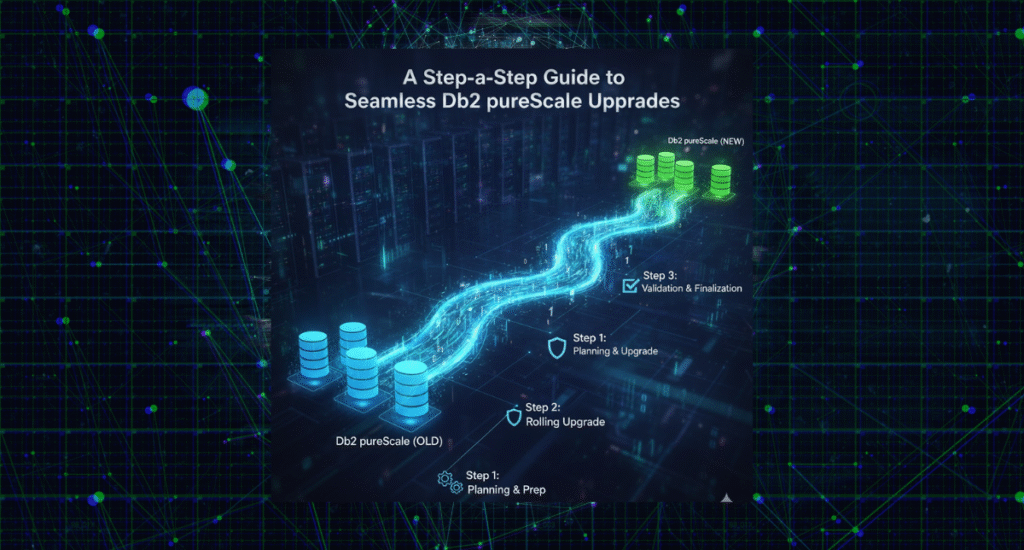
Upgrading a Db2 pureScale environment is often considered one of the most complex maintenance operations in enterprise databases. With its multi-member, multi-cluster architecture, Db2 pureScale demands precision, consistency, and careful orchestration across all nodes to maintain continuous availability. In this post, I’ll walk you through a step-by-step methodology for online fix pack, mod pack, and version upgrades of a Db2 pureScale cluster—based on real-world experience automating production upgrades in high-availability environments Why Db2 pureScale? Db2 pureScale is designed for environments that demand extreme capacity, continuous availability, and application transparency. It allows dynamic scaling of compute resources (members), eliminates single points of failure, and provides 24×7 uptime—all without any changes to application code or configuration. Key Features: Scalable performance: Add members as workload grows. Built-in load balancing: Managed internally by Db2 (or via db2dsdriver.cfg, F5 load balancers, or Multi-Home DNS). Continuous availability: Automatic member recovery ensures no data loss during outages. At the heart of pureScale are two key components: Members — the primary processing engines (db2sysc, db2wdog, db2loggr, etc.). Cluster Caching Facilities (CFs) — centralized coordination units that manage Global Lock Management (GLM) and Group Buffer Pool (GBP), ensuring synchronization and concurrency across all members Preparing for the Upgrade Before executing an online update, always perform the following prerequisite checks: Review IBM Flashes and APARs:Verify if any known issues or special builds apply to your fix pack.IBM Support: Authorized Problem Analysis Reports Validate space and permissions:Ensure /tmp, /var, and Db2 installation directories have sufficient space and are executable. Run db2prereqcheck:Confirm OS libraries, kernel parameters, and dependencies meet requirements. Backups:Take a full backup of: Databases Db2 registry variables DB/DBM configuration db2look outputs Check network and /etc/hosts for duplicates or stale entries. Download latest Db2 license kit from IBM Passport Advantage. Understanding Release Levels The release level architecture in Db2 pureScale is layered: Level Description Code Level The installed Db2 version and fix pack. Architecture Level Cluster-level compatibility (must match code level during updates). Current Effective Code Level (CECL) The currently active code level on each member. Current Effective Architecture Level (CEAL) The active cluster-wide architecture version. Section Level Optimization level for compiled SQL plans. You can verify these with: SELECT * FROM TABLE (SYSPROC.ENV_GET_INSTANCE_CODE_LEVELS()); or db2pd -rustatus Performing a Rolling Fix Pack or Mod Pack Update The online rolling update allows administrators to upgrade each member or CF without downtime. Rolling Update Workflow Update one member at a time using: installFixPack -I db2inst1 -online -l /tmp/member0.log -t /tmp/member0.trc Once all members are complete, repeat for Cluster Caching Facilities (CFs): Update the secondary CF first. Wait for it to reach the PEER state. Failover CF roles (db2stop CF 128). Update the old primary CF. Verify all nodes are active and alert-free: db2instance -list db2cluster -cm -list -alert Confirm synchronization and version uniformity: db2pd -rustatus Estimated Time Each rolling update typically takes 40–45 minutes per host, depending on I/O throughput and GPFS activity. Committing or Cancelling the Update After all nodes are updated, finalize the process: Pre-commit check: installFixPack -check_commit -I db2inst1 Ensures all components are synchronized and ready to advance the code level. Commit the new code: installFixPack -commit_level -I db2inst1 If issues arise before commit, rollback using the same media: installFixPack -f level -I db2inst1 -online Concurrent Online Updates Starting from Db2 11.5.5, you can perform concurrent online updates — upgrading multiple nodes in parallel without downtime. Rule of thumb:Upgrade no more than half of the hosts simultaneously, typically: Phase 1: Member 0, Member 1, and Secondary CF Phase 2: Member 2, Member 3, and Primary CF CLOUD1_SARASWATIPURA_NA2024 This halves total maintenance time while preserving quorum. Upgrading Db2 pureScale with HADR In environments using High Availability Disaster Recovery (HADR), upgrade both primary and standby clusters in coordination: Stop HADR on both sides. Perform online upgrade on standby cluster → commit. Perform online upgrade on primary cluster → commit. Restart HADR and validate synchronization. This approach eliminates downtime for business-critical workloads while ensuring replication integrity. Post-Upgrade Tasks After successful commit: Catalog and rebind: db2updv115 -d <DBNAME> db2rbind <DBNAME> -l /tmp/rebind.log all Bind default packages: db2 BIND @db2ubind.lst BLOCKING ALL GRANT PUBLIC db2 BIND @db2cli.lst BLOCKING ALL GRANT PUBLIC Federation or Spatial Extensions:Rebind db2dsproc.bnd, db2stats.bnd, and @db2gse.lst where applicable. Validate using: db2level Version Upgrade (Major Releases) When moving from one major version to another (e.g., 11.5 → 12.x): Stop the cluster and enter maintenance mode: db2cluster -cm -enter -maintenance –all db2cluster -cfs -enter -maintenance –all Install the new Db2 binaries across all hosts. Exit maintenance and commit changes: db2cluster -cfs –commit db2cluster -cm –commit Upgrade instances and databases: db2iupgrade -g InstName db2 “UPGRADE DATABASE <DBNAME>” Key Takeaways Plan and validate: Prechecks and backups are essential. Automate: Scripts can ensure consistent execution across nodes. Update CFs strategically: Always update the secondary first, then failover. Post-upgrade tasks: Don’t skip db2updv115 and db2rbind. Concurrent updates: Significantly reduce total maintenance time. About the Author Mohan SaraswatipuraDatabase Architect | IBM Gold Consultant & Champion | Host of The Db2Night ShowMohan specializes in cloud migrations, Db2 high availability, and replication technologies.He has led several large-scale Db2 pureScale deployments and automation initiatives across financial, telecom, and enterprise sectors.

Accelerating Db2 Data Movement with Schema Transport
Blog

Accelerating Db2 Data Movement with Schema Transport

Moving large database schemas across environments has traditionally been one of the most time-consuming and error-prone tasks for database administrators. While the db2move utility has long been a staple for migrating table data between databases, it becomes increasingly impractical when handling massive fact tables or complex multi-schema environments. With Db2 9.7 FP2, IBM introduced a game-changing feature — Transportable Schema — designed to dramatically simplify and speed up schema-level data movement. What Is Schema Transport? The Schema Transport process allows DBAs to copy entire schemas quickly and efficiently from one database to another by leveraging the database backup and restore mechanisms. Rather than exporting and importing data using PC/IXF files (as db2move does), the transport restore recreates all schema objects and restores their data directly from a backup image into an existing target database. In essence, schema transport moves tables, indexes, and data as-is, using native Db2 internals — minimizing downtime and human error. How the Schema Transport Process Works Backup the Source Database — Create a backup image of the source database that contains the desired schema. Restore Using TRANSPORT Clause — Restore the schema into the target database using the TRANSPORT INTO option. Redirect and Map Containers — During restore, redefine tablespace containers as needed for the new environment. Transfer Ownership — Db2 transfers ownership of the transported tablespaces to the target database. Cleanup — The temporary staging database used for transport (e.g., SYSTG00x) is dropped after completion unless explicitly preserved with the STAGE IN clause. Example: RESTORE DATABASE tsdb TABLESPACE (TS1, TS2)   SCHEMA (MART)   FROM /home/db2inst1 TAKEN AT 20160621040041   TRANSPORT INTO ttdb REDIRECT; After redirecting containers: SET TABLESPACE CONTAINERS FOR 3 USING (FILE ‘/data/TS1.DAT’ 5000); SET TABLESPACE CONTAINERS FOR 4 USING (FILE ‘/data/TS2.DAT’ 5000); RESTORE DATABASE tsdb CONTINUE; Once completed: CONNECT TO ttdb; LIST TABLESPACES; Understanding Transportable Sets A transportable set consists of all schemas and tablespaces that have no dependencies on other schemas. You can transport tablespaces TS1 and TS2 with schema MART if they are self-contained. However, you cannot transport TS3 or TS4 if they reference objects (e.g., via foreign keys) in another schema such as STAGING. Similarly, a set of tablespaces (TS7, TS8) and schema SALES cannot be transported if identical tablespaces or schema names already exist in the target database. What Happens Internally Behind the scenes, Db2 creates a temporary staging database (e.g., SYSTG001) during transport. This database extracts logical objects and replays logs (if included) to achieve transactional consistency. Once object extraction and synchronization are complete: The transported tablespaces are attached to the target database. The staging database is automatically dropped (unless STAGE IN is used to preserve it). Limitations and Best Practices While Schema Transport offers tremendous performance gains, a few limitations apply: Entire Schema Required: Partial schema transport is not supported. No Shared Tablespaces: If source and target share tablespace names, transport fails (SQL2590N, RC=1). Not Recoverable: Transport restore operations are not recoverable since complete logs for the transported tablespaces are unavailable. Post-Transport Backup: Always perform a full backup on the target database after completion to ensure roll-forward recovery continuity. Best Practice: After a transport restore, take a full backup immediately so roll-forward operations can proceed normally from that point. Performance Advantages Operation Traditional db2move Schema Transport Data movement Export/Import per table Block-level copy Logging Fully logged Minimal logging Speed Slow for large tables 5–10x faster Complexity Manual scripting Single RESTORE command Dependencies User-managed Db2-managed consistency Tips for Successful Schema Transport Validate schema dependencies before starting. Ensure no overlapping schema or tablespace names exist in target. Use the REDIRECT option to remap storage containers efficiently. Monitor logs and table states after restore for consistency checks. Final Thoughts Db2 Schema Transport brings speed, simplicity, and reliability to an area of database administration that was once fraught with complexity. Whether you’re consolidating environments, performing data refreshes, or migrating to new infrastructure, this feature can save hours—or even days—of manual effort. It’s one of those understated Db2 capabilities that, once adopted, quickly becomes indispensable.

Blog

AI and Machine Learning in Database Automation – The Next Frontier

1. Introduction – The Rise of Intelligent Databases In the world of modern data management, automation has already simplified repetitive tasks like backups, patching, and monitoring. But now, Artificial Intelligence (AI) and Machine Learning (ML) are taking automation to the next level. Instead of following static scripts, AI-driven systems can predict, prevent, and optimize database performance dynamically. This shift is creating what experts call “self-driving databases.” Databases are no longer just data stores — they’re intelligent systems that can analyze their own metrics and make adjustments automatically. This evolution is reshaping how DBAs manage infrastructure and ensuring greater uptime, performance, and cost efficiency. 2. Understanding AI and ML in Database Automation AI and ML in database management refer to the use of algorithms that learn from data patterns to improve operational efficiency. AI focuses on automating decision-making based on pre-learned patterns. ML allows systems to improve performance over time without manual intervention. For example, an AI-based monitoring system can analyze CPU usage trends and predict when a server might need scaling. ML algorithms can detect unusual query patterns that indicate a potential security risk or inefficient query execution. 3. Practical Applications of AI in Database Automation Predictive Maintenance – AI can forecast potential database crashes or slowdowns before they occur by studying logs and performance metrics. Anomaly Detection – ML models identify unusual spikes in CPU, memory, or I/O usage, alerting DBAs to potential threats or inefficiencies. Automated Tuning – AI-driven tuning tools can suggest or even apply index changes, query optimizations, and memory allocations automatically. Capacity Planning – ML helps forecast future storage and compute needs, enabling proactive scaling. Self-Healing Systems – Some advanced platforms can detect issues and execute corrective actions instantly, such as restarting failed services or reallocating resources. These intelligent automations dramatically reduce downtime and manual troubleshooting efforts. 4. Benefits of AI-Powered DBA Automation AI integration offers measurable benefits: Reduced Human Error: Systems make data-driven decisions consistently. Improved Performance: AI continuously optimizes resources and queries. Cost Efficiency: Predictive scaling prevents over-provisioning. Enhanced Security: Real-time anomaly detection prevents data breaches. Time Savings: DBAs spend less time firefighting and more time innovating. In short, AI transforms the DBA role from reactive maintenance to proactive optimization. 5. Tools and Technologies Leading the Way Several tools and cloud platforms are embedding AI into database automation: Oracle Autonomous Database – Uses AI to manage tuning, patching, and scaling automatically. Microsoft Azure SQL Managed Instance – Employs machine learning to optimize workloads. AWS RDS Performance Insights – Detects and addresses performance bottlenecks using ML models. Datadog & Dynatrace – Offer AI-powered anomaly detection for performance monitoring. DBAs can also use open-source frameworks like TensorFlow or PyCaret to develop custom ML models that analyze query performance or resource utilization. 6. Challenges and Considerations While AI brings enormous potential, it requires: High-quality data: ML models rely on clean, well-labeled data to learn effectively. Skilled staff: DBAs should upskill in AI/ML fundamentals to manage and interpret predictions. Trust and transparency: Understanding AI decisions (explainable AI) is essential for compliance and accountability. Balancing automation with human oversight ensures both performance and reliability. 7. Conclusion – The Future Is Autonomous AI and ML are not replacing DBAs — they’re empowering them. As databases become more intelligent, DBAs will shift toward strategy, governance, and optimization. The future of database automation lies in self-learning systems that manage themselves while humans focus on innovation.

Blog

Top Tools & Technologies for DBA Automation in 2025

1. Explain the Need As databases grow in complexity, managing them manually becomes impossible. Automation tools are essential to maintain reliability, scalability, and security. 2. Categorize the Tools Configuration Management: Ansible, Chef, Puppet Schema Management: Flyway, Liquibase Monitoring Tools: Prometheus, Grafana, Datadog Cloud Platforms: AWS RDS Automation, Azure SQL Automation, Google Cloud SQL 3. Evaluate Tools When choosing a tool, assess scalability, integration ease, and community support. Open-source tools offer flexibility, while commercial solutions often provide stronger enterprise features. 4. Discuss Future Trends AI-driven database optimization and predictive scaling are emerging trends in 2025. These allow systems to self-heal and optimize performance automatically 5. Conclude with Insights Choosing the right automation tool depends on your business needs, but the future is clear: automation isn’t optional—it’s a necessity for database success.

Blog

Self-Service Database Provisioning – Enabling DBaaS for Developers

1. Explain the Problem In many organizations, developers wait days or weeks for DBAs to create new environments. This slows down innovation and affects delivery timelines. 2. Introduce the Solution – Self-Service Provisioning Database-as-a-Service (DBaaS) empowers developers to create databases on demand without manual intervention. It provides predefined templates for security, performance, and compliance. 3. Steps to Build Self-Service Automation Standardize Templates – Define configurations for each type of database. Automate Deployment – Use Terraform, Ansible, or Kubernetes Operators. Control Access – Manage permissions through Identity and Access Management (IAM). Add Monitoring – Include real-time usage and cost tracking. 4. Show Benefits Developers gain instant access to environments, DBAs handle fewer tickets, and systems remain standardized. It leads to faster releases and better collaboration between teams. 5. Wrap Up with CTA Encourage readers to explore DBaaS frameworks or set up a pilot project. Self-service provisioning is the future of efficient database management.

Blog

Overcoming Challenges in Database DevOps Automation

1. Set the Context Integrating databases into DevOps pipelines can be complex. While application code moves through CI/CD easily, databases present challenges like schema management and rollback issues. 2. Identify Key Challenges The major hurdles include version control for schemas, testing database changes safely, and maintaining compliance. Manual database updates often delay deployment cycles. 3. Introduce Automation Solutions Automation tools like Flyway, Liquibase, and Jenkins can help. They allow schema changes to be stored as code, tested automatically, and deployed in sync with applications. 4. Implementation Steps Store all schema definitions in source control. Automate testing and validation for migrations. Integrate database changes into CI/CD pipelines. Set up rollback mechanisms and real-time alerts. 5. Best Practices Keep environments consistent across development, staging, and production. Always test rollback scripts, and ensure security and auditing are part of your automation strategy.